Affiliate disclosure: some links in this article are partner links. If you start a paid plan through them, imisofts may earn a commission at no extra cost to you. We only recommend tools we actually use to run client campaigns.
Short answer. The Instantly API v2 is a REST API at https://api.instantly.ai/api/v2 that takes a scoped API key as a bearer token. Its rate limit is 100 requests a second and 6,000 a minute for the whole workspace, shared across every key and across API v1 and v2. Instantly's pricing file lists API access on all plans and webhooks on Hypergrowth ($107 a month) and above. Instantly also hosts an MCP server at mcp.instantly.ai that exposes the full V2 API as tools for Claude, Cursor and other AI assistants, plus an official TypeScript SDK and a command line tool.
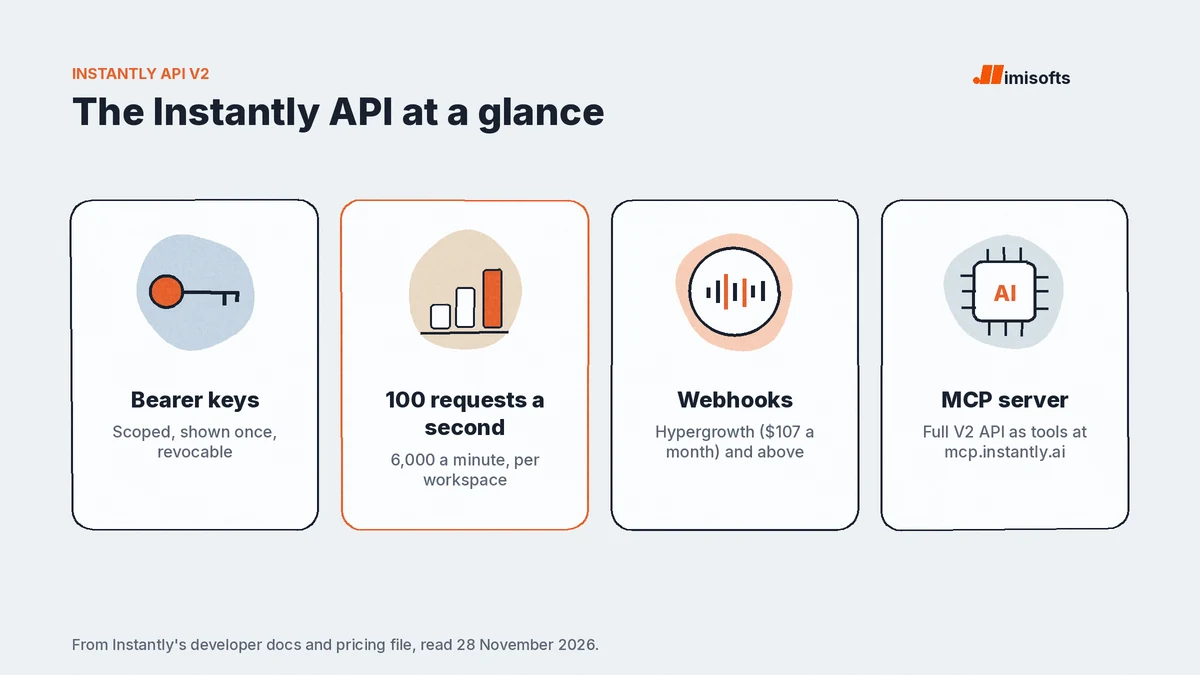
Below: how to create a key and pick scopes, the rate limits with a worked batch, what the API covers, webhook events and their quirks, how to connect the MCP server safely, and the automations we build on top of it. Everything here comes from Instantly's developer docs and pricing file as read on 28 November 2026. We are an Instantly affiliate and earn a commission if you sign up through our links.
Key numbers
| Item | Number |
|---|---|
| Base URL (bearer token authentication) | api.instantly.ai/api/v2 |
| Rate limit per second (whole workspace, all keys, v1 and v2) | 100 requests |
| Rate limit per minute (over either limit returns 429) | 6,000 requests |
| Webhooks from (billed monthly; $85.58 billed yearly) | Hypergrowth, $107 a month |
| API access (per Instantly's pricing file) | All plans |
| Resource pages in the API docs (Instantly developer docs index) | 289 |
| Instantly's batching example (10,000 lead updates in about 3.3 minutes of waits) | 100 calls, then 2 s |
Instantly developer docs (quickstart, rate limit, API reference, webhook events, MCP introduction and quickstart, docs index) and pricing file, read 28 November 2026; Hookdeck Instantly webhooks guide.
Create a key and pick scopes
From Instantly's quickstart: open Settings, then Integrations, then API Keys, create an API v2 key and select the scopes your integration needs. Copy it straight away, because Instantly will not show it again. You can create several keys and revoke each one separately.
Scopes follow a resource and action pattern. The docs list scopes such as campaigns:read, accounts:all, api_keys:read, all:read and all:all. Give each integration the narrowest set that works: a reporting job needs read scopes only.
A first request looks like this:
curl --request GET \
  --url "https://api.instantly.ai/api/v2/accounts?limit=5" \
  --header "Authorization: Bearer YOUR_API_KEY"
The quickstart lists three errors to expect: 401 for a missing or invalid key, 403 when the key lacks the required scope and 429 when the workspace has hit a rate limit. One migration warning from the API reference: version 2 has no compatibility with version 1, and you need a new key to call V2 endpoints. Old Zapier steps and scripts written for v1 will not simply switch over.
Done for you by imisofts
Want this workflow automated for your business?
imisofts builds custom AI agents and n8n workflows that take repetitive work off your team, connected to the tools you already use.
Rate limits, with a worked batch
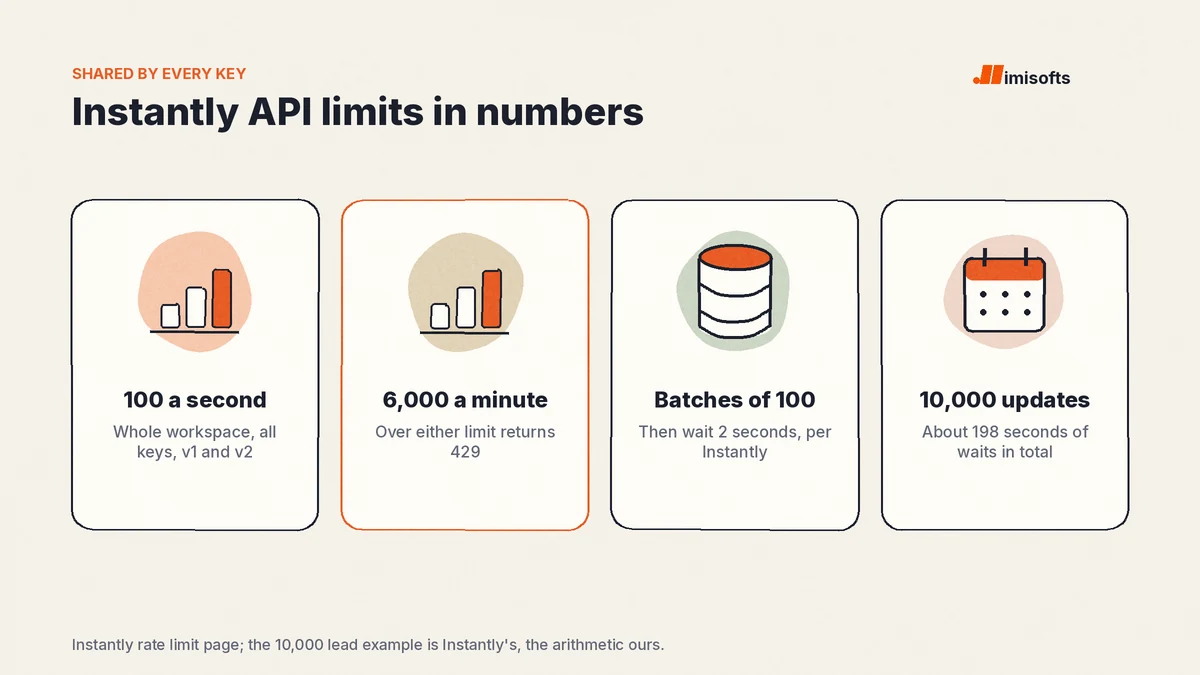
The limits apply to the entire workspace, even across multiple keys, and API v1 and v2 share them:
- No more than 100 requests per second.
- No more than 6,000 requests per minute.
- Hit either and requests fail with status 429.
Instantly's own advice is to run heavy jobs two to four times a day instead of once, and to batch: its example is updating 10,000 leads in batches of 100 calls with a 2-second wait between batches. Worked out, that is 100 batches and 99 waits, so at least 198 seconds of waiting, a little over three minutes, and well under the 6,000-a-minute ceiling. The per-minute limit is the one that bites: 10,000 single calls could never finish in under 100 seconds anyway.
The shared limit is the trap for agencies. If an n8n workflow, a CRM sync and an MCP-connected assistant all use the same workspace, they draw from one pool, and a bulk import in one can make the others fail. Add retry with backoff on 429 to every integration, not just the big ones.
What the API covers
Instantly's documentation index lists 289 resource pages. The groups that matter for most teams:
- Accounts: email accounts, warmup settings, pausing and account vitals tests.
- Campaigns and subsequences: create, activate, pause and bulk operations.
- Leads and lead lists: add, update, label, bulk import and move leads between campaigns.
- Emails: read, reply and forward Unibox messages, plus email verification.
- Deliverability: inbox placement tests, placement analytics and blacklist and SpamAssassin reports.
- Data and AI: SuperSearch enrichment, the AI Sales Agent, AI Inbox Manager, AI Lead Finder Agent and AI Deliverability Agent, workflows and DFY email account orders.
Before writing code, check whether you need it. Instantly's pricing file says its visual Automation Builder, which runs trigger-and-action workflows, is included on every Outreach plan at no extra cost. Simple rules like "when a lead is marked interested, move them to a list" may not need the API at all.
For TypeScript projects there is now an official SDK, and an official CLI for managing a workspace from the terminal; both are listed in Instantly's developer docs index.
Webhooks: events and quirks
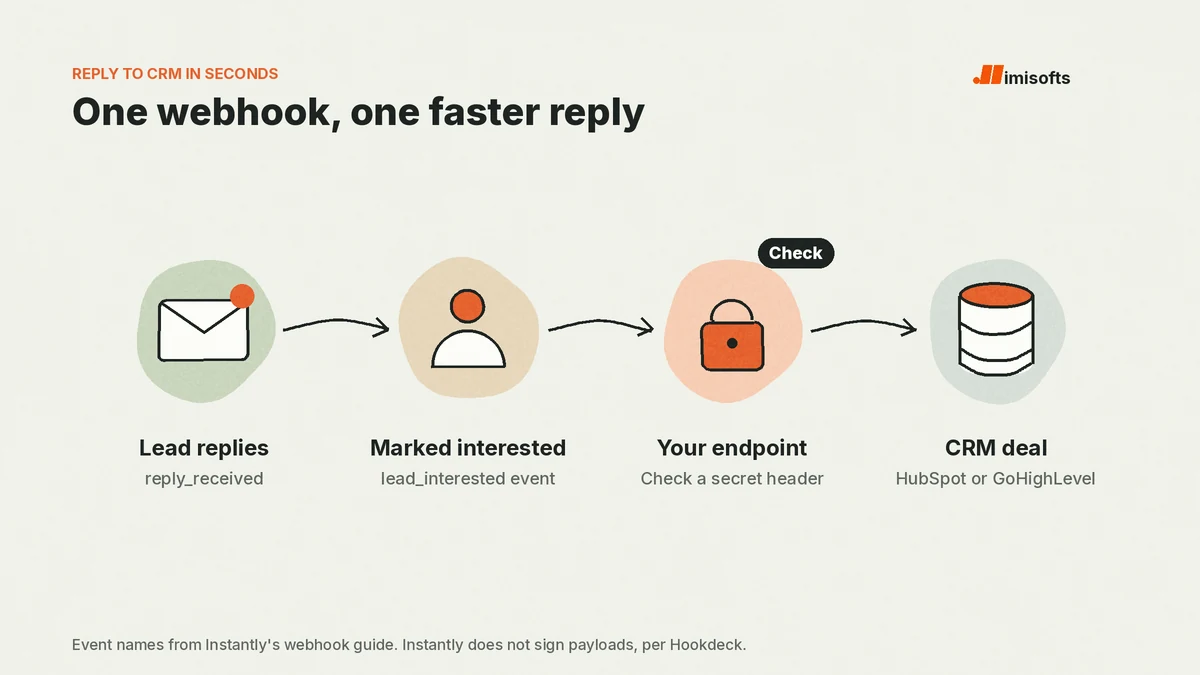
Webhooks push events to your endpoint as they happen, which is how you get replies into a CRM or Slack within seconds. Instantly's pricing file gates them to Hypergrowth and above. The webhook events guide groups the events like this:
| Group | Event types |
|---|---|
| email_sent, email_opened, reply_received, auto_reply_received, link_clicked, email_bounced, lead_unsubscribed, account_error, campaign_completed | |
| Lead status | lead_neutral, lead_interested, lead_not_interested |
| Meetings | lead_meeting_booked, lead_meeting_completed |
| Other lead events | lead_closed, lead_out_of_office, lead_wrong_person |
Two quirks worth building around. First, the API's own list of subscribable events uses email_link_clicked where the guide says link_clicked; Hookdeck's Instantly webhooks guide documents the mismatch and suggests handling both names. There is also an endpoint that lists the available event types, so you can check before you build. Second, Hookdeck reports that Instantly does not sign webhook payloads. Add a secret custom header when you create the webhook and reject any request that does not carry it.
The Instantly MCP server
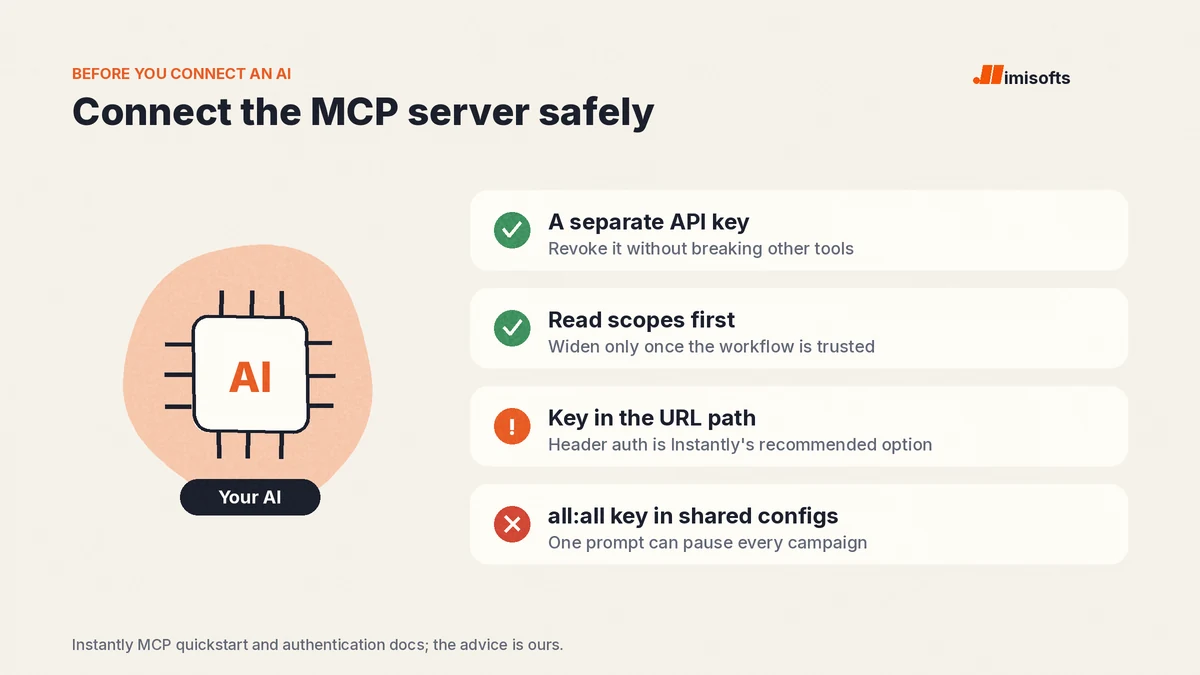
The MCP server lets an AI assistant manage your workspace in plain language. Instantly says it exposes the full V2 API as tools, auto-generated from the API spec, on a hosted server at mcp.instantly.ai, so there is nothing to install beyond your API key.
Connecting it, per the MCP quickstart:
- Claude Desktop: Settings, Connectors, Add custom connector, with the URL
https://mcp.instantly.ai/mcp/YOUR_API_KEY. - Cursor: the same URL in
~/.cursor/mcp.json. - Other clients: the URL
https://mcp.instantly.ai/mcpwith your key in the Authorization header, which Instantly recommends over putting the key in the URL.
Our advice before you connect it: create a separate key for the assistant and start it on read scopes. Instantly's own example prompts include "Pause all active campaigns", and an assistant with an all:all key can do exactly that on a misread instruction. Widen the scopes once you trust the workflow, and never share an MCP config file that contains the key, which Instantly also warns about.
What we build on the API
Four small integrations that pay for themselves quickly:
- Interested reply to CRM. A lead_interested webhook creates or updates the deal in HubSpot or GoHighLevel and posts the reply to Slack, so a rep answers within minutes instead of whenever they next open Unibox.
- Form fill to campaign. A website or ad form adds the lead to the right Instantly campaign and list, with verification first.
- Nightly reporting. Campaign analytics and placement results pulled into a sheet or dashboard for clients, with read-only keys.
- Bounce and account alerts. email_bounced and account_error events that pause sending when they cross a threshold, before a domain is damaged.
We build these in n8n; our n8n cold email automation guide shows the pattern. If you would rather have it built, our AI automation agency ships a scoped automation from $2,497, live in two to four weeks, or you can hire an n8n developer from our team. The sending side matters as much as the code, so pair any build with clean email infrastructure. And if you do not have a workspace yet, Instantly's free trial (partner link) is the place to start.
Frequently Asked Questions
Yes. Instantly API v2 is a REST API at https://api.instantly.ai/api/v2 that uses scoped API keys as bearer tokens. You create keys under Settings, Integrations, API Keys, and each key is shown only once.
Instantly's pricing file says API access is included on all plans and that webhooks are gated to Hypergrowth ($107 a month) and above. Some third-party guides say API v2 needs Hypergrowth, so check the Integrations page in your workspace.
100 requests per second and 6,000 requests per minute for the whole workspace, shared across all keys and across API v1 and v2. Requests over either limit fail with status 429.
Yes, on Hypergrowth and above. Events include email_sent, reply_received, email_bounced, lead_unsubscribed, lead_interested, lead_meeting_booked and others. The API's event list uses email_link_clicked where the guide says link_clicked, so handle both.
Yes. Instantly hosts one at mcp.instantly.ai that exposes the full V2 API as tools for Claude, Cursor and other MCP clients. You connect it with an API v2 key, ideally a separate key with limited scopes.
Instantly's docs say V2 has no compatibility with V1 and needs a new key. New integrations should use V2; the rate limit page still counts V1 calls against the same workspace limit.